▣
DikamovoRadio Desktop
Windows radio automation with dual decks, music library, scheduling and studio controls.
Professional radio automation and broadcasting tools designed to help stations manage music, advertising, studio workflows and transmission — on desktop and Android.
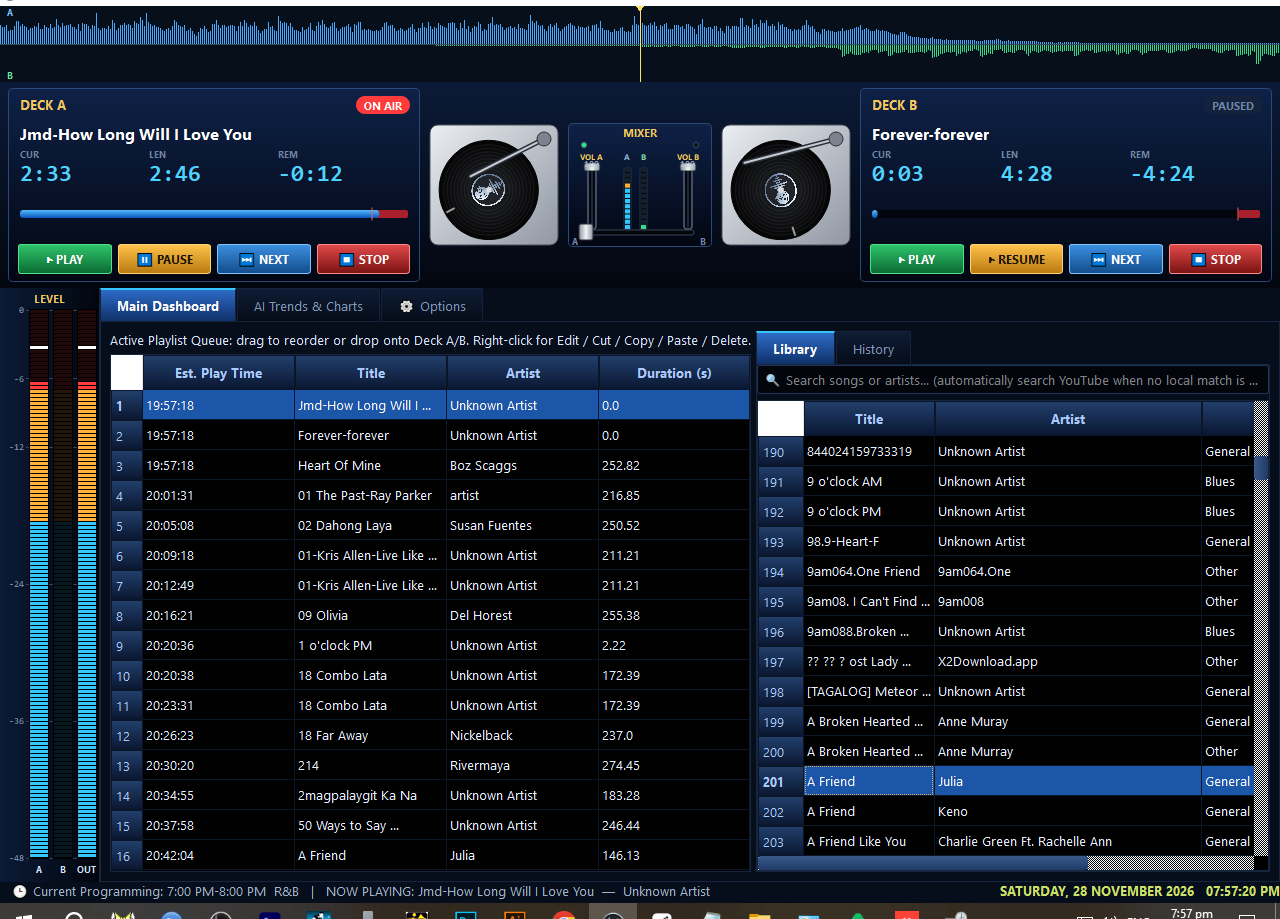
View the actual application interfaces from the current DikamovoRadio development builds.
DikamovoRadio Desktop
Dual decks, mixer, waveform, playlist queue and music library
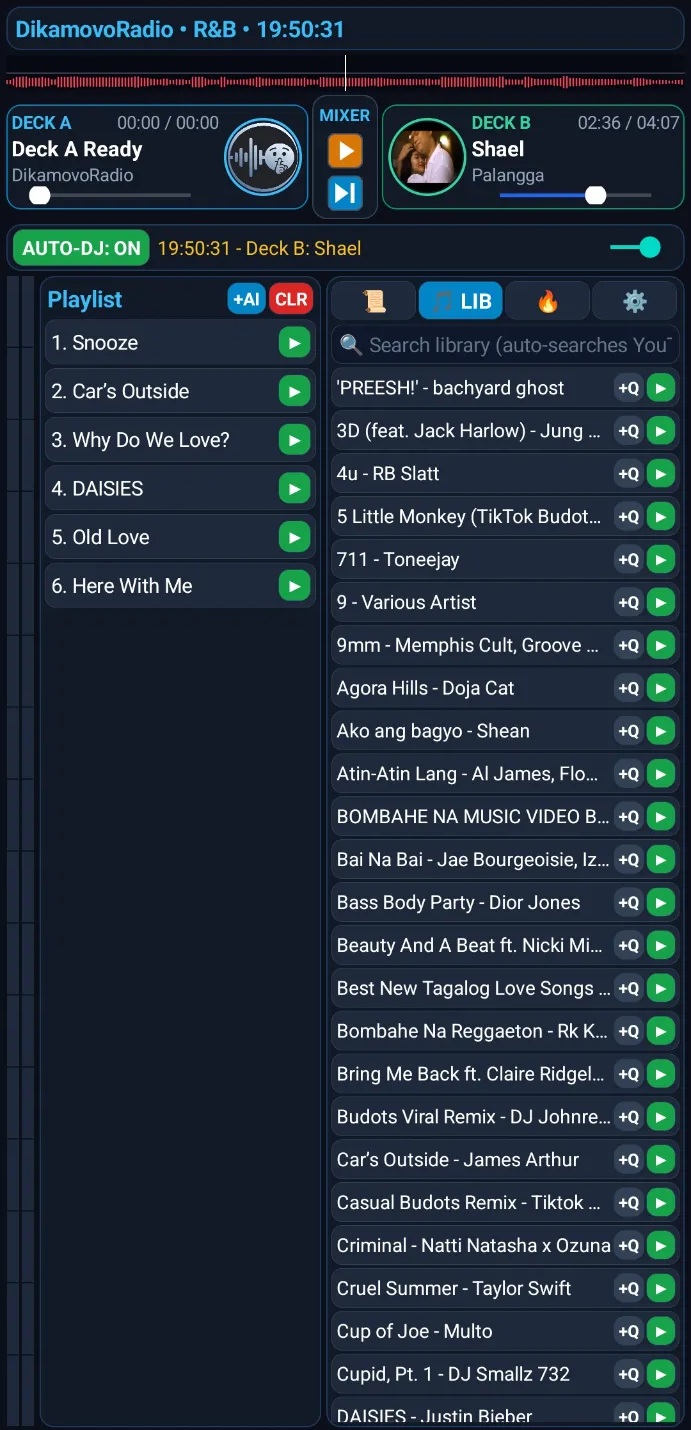
DikamovoRadio Android
Mobile dual deck, Auto-DJ, playlist and music library interface
Tools for studio automation, mobile operation and studio-to-transmitter workflows.
Windows radio automation with dual decks, music library, scheduling and studio controls.
Mobile radio automation with dual decks, Auto-DJ, playlist and library controls.
Studio-side audio transmission for your radio link workflow.
Transmitter-site receiving workflows with continuity and failover goals.
A growing set of capabilities for everyday broadcasting and station management.
Official installers and release notes will be published here after release files are configured.
Contact the DikamovoRadio team for product questions, setup guidance and support.